
Compare the Best Hardware Wallets for Crypto and Choose Wisely
Why Hardware Wallets Matter for Crypto Storage
I've been around crypto long enough to see people lose funds from exchange hacks, phishing, and plain bad luck. A hardware wallet for cryptocurrency isn't magic, but it puts a real wall between your keys and the internet. The assets stay on the blockchain. The wallet just holds the keys and signs transactions inside a dedicated device. That's the whole point: keep the private key offline while you still transact.
Hot wallets on your phone or browser are handy for daily DeFi and trading. Their keys live in the same environment as your apps, extensions, and whatever malware might be lurking. Cold storage moves signing behind a stronger boundary. Paper wallets were an early attempt, but they're fragile, hard to reuse, and easy to mess up during generation. A hardware wallet lets you sign repeatedly without exposing the key. It's practical cold storage.
How a Hardware Wallet Transaction Works
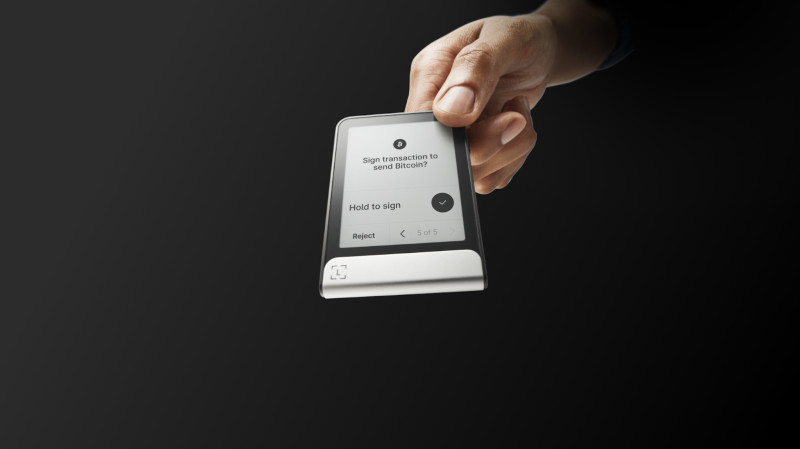
The flow is straightforward. You start a transaction in a companion app or web interface - pick recipient, amount, network, fee. The unsigned request goes to the device. The device parses and shows the details on its own screen. You verify and physically confirm with a button or touch. The secure element signs internally. The signed transaction goes back to your phone or computer for broadcast. The private key never leaves the device.
A good screen matters. Malware on your computer can swap the destination or amount shown there. The device screen is your independent checkpoint. But screen quality varies. A tiny display might truncate an address, show a token name you don't recognize, or ask you to approve a contract call you can't read. Clear signing - human-readable decoding of contract actions - helps, but it's not automatic on every model.
The critical security task is not merely keeping a seed phrase offline. It is also making sure that the person signing understands the destination, amount, network, permissions, and contract action.
Security Criteria Worth Checking
When I compare devices, I look at a few core areas. Security architecture: where keys are generated, whether a Secure Element or isolated chip handles signing, if PIN entry and biometrics are separated from key operations. Screen and clear signing: can you actually read the address, amount, network, and contract permissions? Backup and recovery: seed phrase length, offline backup options, Shamir shares, whether recovery depends on the vendor. Firmware verification: signed updates, official channels only, reproducible builds, public repos. Ease of use: clear init, intuitive app, manageable backup, comfortable connection method. Connectivity: USB-C, Bluetooth, NFC, QR air-gap - each has tradeoffs. Coin support: native vs companion vs third-party vs WalletConnect, and whether every token gets equal display quality. Open source: firmware, app, bootloader, secure element code, hardware design, reproducible builds, audits. Supply chain: tamper-evident seals, auth tools, official purchase links.
Key Questions Before Buying
- Does the device use a Secure Element or multiple isolated chips?
- Can you verify transaction details on a trusted screen?
- Is the seed phrase generated and backed up fully offline?
- Are firmware updates signed and verifiable through official channels?
- Does the manufacturer sell direct or through authorized resellers only?
OneKey Lineup: Pro, Classic 1S, and Classic 1S Pure
OneKey positions itself as fully open source with verifiable builds. The Pro is their flagship - large touchscreen, USB-C, encrypted Bluetooth, NFC, camera-based QR air-gap, fingerprint, wireless charging, four EAL6+ chips. Price sits around $278. It's built for multi-chain heavy users who want every connection option and a big screen for complex transactions. The Classic 1S drops to $99 with a small screen, buttons, Bluetooth and USB-C, one EAL6+ chip. The Classic 1S Pure at $79 removes the battery for long-term vault storage. All three support over 30,000 assets through the OneKey App on desktop and mobile.
The four-chip design on the Pro is interesting - separate isolation boundaries for PIN, biometrics, and core signing, plus room for different blockchain algorithms. Whether that translates to measurably better security for a given user is debatable, but the architecture is deliberate. The Pure model's lack of battery means no swelling or degradation over years, which matters if you're locking it in a safe for a long time.
Trezor: Safe 7, Safe 5, Safe 3, Model T, Model One
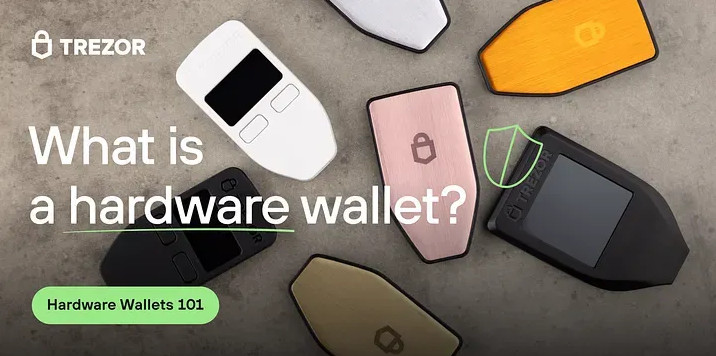
Trezor has been around since 2013. Their reputation rests on open-source firmware, reproducible builds, and user-controlled keys. The Safe 7 at $249 adds Bluetooth, NFC, Qi2 wireless charging, a large touchscreen, and a dual-chip design (TROPIC01 plus Optiga Trust M EAL6+). The Safe 5 at $169 keeps the touchscreen and Secure Element but drops wireless. The Safe 3 at $79 is USB-only with a touchscreen and Secure Element. Model T and Model One are older - Model T has a color touchscreen and open firmware but no Bluetooth; Model One is the budget baseline at $49 with a small screen and buttons.
Trezor Suite handles account management, firmware updates, and transaction review. Devices also work with third-party wallets like Exodus. Recovery uses standard 12- or 24-word phrases, with Shamir backup on Safe 5. The open-source emphasis is real - firmware, builds, and community audits are central to their pitch. But the Safe 7's secure element implementation should be evaluated separately from the firmware claim.
Trezor devices have a loyal following for transparency, though Bluetooth models are newer for them.Ledger: Nano X, Nano S Plus, Nano Gen5, Flex, Stax
Ledger started in 2014. The Nano S launched in 2016, Nano X with Bluetooth in 2019. Their architecture uses an isolated Secure Element, but the OS and firmware are partially closed. Blockchain apps install individually on the device, and storage limits how many you can keep at once. Ledger Live is the main companion, but MetaMask, Coinbase Wallet, Exodus, and others integrate for signing.
The Nano X at $149 is the mobile-friendly workhorse - Bluetooth, OLED screen, buttons, EAL5+ chip. The Nano S Plus at $79 is USB-only with a larger screen than the original S. The Nano Gen5 at $179 adds a 2.8-inch E-Ink touchscreen, Bluetooth, NFC, and clear signing with Transaction Check. The Flex at $249 and Stax at $279-$399 are premium E-Ink touchscreen models with wireless charging (Qi2 on Stax), metal frame on Stax, and the same single EAL6+ chip. All Ledger models in the current lineup support over 15,000 assets in the broad listing, though headline numbers vary wildly by source.
The tradeoffs are consistent: mature ecosystem, broad third-party compatibility, but app-install model, limited device storage, partially closed firmware, historical data breach, and the Ledger Recover controversy. The Ledger Nano X remains a default pick for many beginners because of Bluetooth and Ledger Live polish.
A higher price does not automatically establish stronger security for a particular user. Screen quality, open-source verifiability, backup design, connectivity, and coin-specific support may matter more than chip count or premium materials.
Tangem, SafePal, Keystone, and Air-Gap Specialists
Tangem takes a different path - credit-card format, NFC only, no screen, no battery, closed firmware, EAL6+ chip. Two-card set $55, three-card $70. Backup is card-based (tap a spare card to recover), with optional seed phrase. It's ultra-portable, but you rely entirely on your phone screen for transaction details. A compromised phone can show you anything. Good for travel and simplicity, less so for complex contract verification.
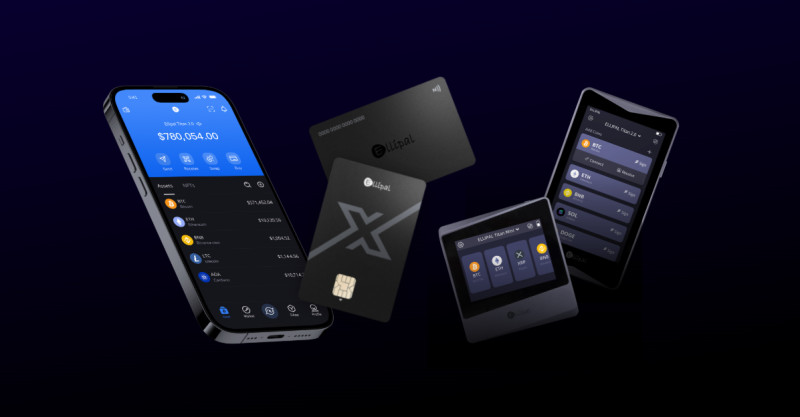
SafePal S1 Pro at $90 uses camera-based QR signing for air-gap separation. Small screen, buttons, battery, undisclosed chip. Keystone 3 Pro at $149 is fully open source, three-chip design, QR air-gap, touchscreen, fingerprint, multisig support. Both prioritize isolation over convenience - repeated scanning gets tiresome for frequent DeFi. Ellipal Titan and Mini are similar: large touchscreens, QR air-gap, EAL5+ chip, firmware updates via QR, no open source. They're built for users who want maximum separation and accept the workflow friction.
Air-Gap Tradeoffs
- QR signing keeps the device fully offline during signing
- Repeated scanning slows down high-frequency use
- Small screens limit visibility of complex transaction data
- Firmware updates require QR transfer, adding steps
- No Bluetooth or NFC means no mobile convenience features
Bitcoin-Only and Single-Asset Devices
Narrowing to one asset reduces attack surface - fewer chains, scripts, token integrations, signing paths. Coldcard Mk4: fully air-gapped, physical keypad, multisig, dual Secure Elements, advanced PSBT workflows, open source, "brick me" PIN. Blockstream Jade at ~$65: camera QR, Bitcoin and Liquid focus, open source, virtual Secure Element model. BitBox02 at ~$139: USB-C, touch sensors, microSD backup, open source, dual-chip on Bitcoin-only edition. Passport Foundation: BTC-only, air-gapped, fully open source. OneKey Classic 1S Pure BTC-only: battery-free, screen, long-term storage focus.
These make sense if you only hold Bitcoin and want a device that doesn't carry code for chains you'll never use. The interface is often more technical, and you lose multi-chain convenience. But for a pure BTC vault, the reduced complexity is a feature.
Security Architecture: Chips, Displays, and Trust
Secure Elements are tamper-resistant chips for key generation and signing. Common certifications are EAL5+ and EAL6+. But the cert applies to the chip under a defined scope - not the whole device, not the companion app, not the update process, not your verification habits. OneKey Pro uses four EAL6+ chips. Trezor Safe 7 uses two. Ledger current models use one EAL6+ (Nano X uses EAL5+). Tangem, Ellipal, Coldcard, BitBox02 Bitcoin-only, and Keystone 3 Pro each have their own chip counts and designs. BC Vault uses FeRAM instead of a dedicated Secure Element. Blockstream Jade uses a virtual Secure Element model.
Multiple chips can separate concerns - biometrics from signing, different algorithms in isolated boundaries. But more chips don't automatically mean better security. Implementation quality, update verification, display behavior, and user practice matter just as much. Clear signing on a good screen (OneKey Pro, Trezor Safe 7/5, Ledger Flex/Stax/Gen5) reduces blind signing by decoding contract actions, showing token names, warning on unlimited approvals. You still need to verify the network - a valid address on the wrong chain loses funds permanently.
cryptocurrency hard wallets vary widely in how they handle display and verification.Open Source, Firmware, and Recovery Services
Firmware can add features and vulnerabilities. Updates should only come from official sites, companion apps, or verified device processes - never search ads, emailed links, or random support accounts. Trezor and OneKey lead on reproducible/verifiable builds. Ledger's firmware is partially closed due to Secure Element NDAs. SafePal claims open source but repository scope should be checked. Tangem is closed source.
Recovery services change the trust model. Standard seed phrase: you control everything, but the backup is high-value physical material. Card sets (Tangem): no written phrase, but depends on card availability. MicroSD backup (BitBox02, BC Vault): convenient if encrypted and stored safely. Shamir shares: splits the secret, reduces single-point risk. Ledger Recover and similar: easier recovery, but introduces additional parties and identity processes. MPC (Zengo, Cobo): splits key material into encrypted shares, no single seed, but creates provider dependency. Institutional custody: removes key management, but also removes direct control.
The manufacturer going out of business does not inherently remove access, provided the user has a compatible recovery phrase.
Buying and Initializing Safely
The purchase is part of the security boundary. Buy direct from the manufacturer or a clearly authorized reseller. Avoid unknown third-party sellers and heavily discounted marketplace units. Check tamper-evident seals, shrink wrap, box condition - look for broken, peeled, crooked, or re-applied labels. Verify the device through the manufacturer's official authenticity tool. Contact support directly if packaging looks altered. Never initialize or fund a device with uncertain provenance.
Typical setup: verify device and packaging, power on with supplied cable, download companion app from official site, initialize, install current firmware, create new wallet, record recovery phrase on the supplied sheet or offline medium, confirm phrase in order, set a strong PIN (not birthday, not repeated digits), add passphrase only after understanding base recovery, verify receiving address on device matches intended, send a small test amount first.
Red Flags When Buying
- Broken or re-applied tamper seals
- Pre-initialized device with existing seed phrase
- Firmware update prompts from unofficial sources
- Requests for seed phrase during "support" interactions
- Heavily discounted units on general marketplaces
Recovery Phrase Storage That Lasts
The recovery phrase is not a password. It's the human-readable master backup. Anyone with it controls the assets. Write it down in exact order, check character by character, store offline, keep in more than one secure location for substantial holdings, protect from fire, water, theft, accidental disposal. Never photograph it, type it into a website, enter it in a web form, send via email or chat, store in notes app, cloud doc, password manager, or unencrypted digital file. Metal backup plates cost more than paper but survive fire and water. A safe, bank safety-deposit box, or secure offline location you control works. A second geographically separate backup protects against localized disaster.
Seed splitting (words 1-12 in one place, 13-24 with a trusted person elsewhere) reduces single-location risk but adds handling complexity. Proper Shamir secret sharing is different from just cutting a phrase - it uses a threshold (e.g., 2-of-3) to reconstruct. Trezor Safe 5 and Model T support Shamir. OneKey models in the comparison primarily use standard phrases. A BIP39 passphrase creates a hidden wallet from the same seed but different passphrase - decoy balance, plausible deniability, extra protection if seed is exposed. But the passphrase must be backed up separately, and forgetting it makes the hidden wallet inaccessible.
Restoring a Lost or Damaged Wallet
Crypto isn't in the device. It's on the blockchain. If the device is lost, stolen, or broken: get a compatible replacement, power on, select restore, enter recovery phrase in exact order, set new PIN, confirm balances and addresses reappear. If passphrase or Shamir shares are used, provide those too. The manufacturer going out of business doesn't block access if you have a standard-compatible phrase. BIP39/BIP44 compatibility is referenced, but verify the exact standard and derivation path for your wallet and asset.
A recovery test - restoring a small test wallet or small balance before storing substantial funds - confirms words were recorded correctly and the derivation path works. Don't skip this. It's the only way to know your backup is actually usable.
the right device for you is one you can actually recover with.Transferring and Receiving Without Mistakes
Moving crypto into cold storage: generate receiving address in the companion software, select correct network, copy address through trusted path, on exchange/sending wallet select withdrawal, paste destination, compare first and last characters and full address where possible, send small test amount, confirm receipt, then send remainder. Hardware wallet screens can display receiving addresses - this helps detect clipboard malware. Compare character by character, not just the first character.
When sending: select correct network, check recipient address, check amount, check fee, check token contract, check DeFi permissions, reject any request you can't explain, use fresh address when appropriate, remember transactions are generally irreversible. The wallet protects the key, but it can't stop you from deliberately signing a malicious transaction or judge if a legitimate-looking contract has a vulnerability. Clear signing, warnings, simulation, and your own research remain necessary.
Tracking Balances Without Exposing Keys
A public address or read-only extended public key (xPub) lets you monitor balances and history without signing or exposing the recovery phrase. Portfolio tools like CoinTracker (500+ self-custodial integrations, thousands of cryptocurrencies, tax reporting, 3M+ users) and CoinStats (hardware wallets, exchanges, hundreds of sources, P&L, allocation, performance views) connect via public address or xPub. The private key stays on the device. But public blockchain data is public - understand what you share with a portfolio service.
Long-Term Storage and Device Maintenance
Hardware wallets aren't maintenance-free. Keep the device cool, dry, away from direct sunlight, moisture, extreme temperatures, in a protective case, in a fireproof/waterproof safe when appropriate. Clean exterior with soft dry cloth - no liquids. Physical damage may brick the device but doesn't destroy the crypto if the backup is safe. Check firmware monthly or on manufacturer releases - updates bring security patches, new chain support, compatibility fixes, display improvements, hardware/bootloader corrections, vulnerability fixes.
Replace when: screen fails to show details reliably, buttons/ports fail, secure element area damaged, connectivity fails, manufacturer stops firmware updates, required networks/assets no longer supported, newer model provides needed security features. Most devices last 5-10+ years with care. Battery-powered models commonly have 3-5 year battery life - USB operation may remain when Bluetooth dies. Long-term vault users often prefer battery-free models. The Trezor Model One and similar non-battery devices avoid this entirely.
Advanced Cold Storage for Large Holdings
Layered storage is common: small hot wallet for daily DeFi, larger hardware wallet for long-term holdings, separate multisig for especially large balances, geographically separate backup for recovery material, dedicated air-gapped device for vault signing. This reduces internet-exposed amount without forcing every interaction offline.
Cross-chain bridges, wrapped assets, and routers add dependencies beyond the native chain. For large long-term positions: limit cross-chain activity, avoid unnecessary bridge interactions, use BTC-only or coin-only devices when one asset suffices, treat fewer chains and integrations as a smaller attack surface.
Multisig requires multiple independent keys to authorize. 2-of-3 needs two of three devices/holders; 3-of-5 needs three of five. Protects against single stolen device, compromised seed, single person changing a transaction, single failed hardware, single point of control. Adds complexity: multiple devices to init and back up, signer coordination, policy fails if a device is unavailable, smart-contract multisig can cost more gas, recovery needs required share set. Safe (formerly Gnosis Safe) secures $100B+ with configurable thresholds, spending policies, limits, role-based controls, multisig auth - a smart-contract wallet combinable with hardware signers.
Geographic Backup Distribution
- Home safe
- Bank safety-deposit box
- Trusted family member's secure location
- Second city or region
- Separately secured company vault
Inheritance planning: document wallet locations, leave clear instructions for beneficiaries, use Shamir shares or time-locked multisig, consult specialized estate professionals, avoid storage likely to be discarded unnoticed, test recovery procedures before they're needed.
MPC and Institutional Self-Custody
MPC wallets split private-key material into encrypted shares. No single participant has the complete key; a threshold authorizes signing. Benefits: no single point of failure, no complete seed to photograph, recovery via encrypted shares and identity verification, flexible thresholds for individuals/teams/institutions, biometric auth on some products. Tradeoff: provider dependency. Zengo splits key material between user device and Zengo infrastructure - 120+ cryptos, biometrics, device auth, recovery file, Web3 firewall, positioned as seedless/reduced-seed-risk, relies on Zengo infra, fewer advanced DeFi features.
Cobo is institutional: MPC wallets, smart-contract wallets, custodial wallets, exchange wallets, 80+ chains, 3000+ tokens, threshold signatures, role-based access, risk engines, APIs/SDKs, SOC 2 Type II, enterprise pricing, complex config. The source material suggests hardware wallets for long-term individual storage, software wallets for daily DeFi, MPC/multisig for teams and institutions.
solid hardware plus a tested backup still beats complex setups for most individuals.Hot Wallets and Software Alternatives
Hot wallets stay connected - convenient for daily trading, DeFi, NFTs, dApps, frequent swaps, gas management, staking, social/Web3 apps. Keys exposed to device malware, phishing, malicious extensions, compromised apps, social engineering. Base App (Coinbase Wallet renamed): multi-chain mobile-first, in-app storage/transfers, decentralized social, AI agents, fiat on/off ramps, in-app trading, USDC interest, fee-free global USDC, BTC/ETH/EVM/Solana/XRP/DOGE. MetaMask: 100M+ users, Ethereum/EVM, Solana in some listings, BTC in broader comparison, in-app swaps, purchases, hardware wallet connect, staking, Polymarket, debit card, Snaps, custom networks. Risks: extension phishing, malicious dApps, seed exposure, large attack surface.
Trust Wallet: 200M+ users, 100+ chains, mobile+extension, swap/stake/NFT/Web3 browser, hardware integration, security scanner, BTC/ETH/EVM/Solana/DOGE/Sui. Risks: hot wallet exposure, large dApp surface, centralized exchange ownership concerns. Exodus: multi-chain desktop/mobile, styled UI, 50+ chains/300+ assets, stake/swap/NFT/Web3 extension, hardware integration, 24/7 support, NYSE-listed, closed source, higher exchange fees. Phantom: Solana-optimized, browser/mobile, Solana/ETH/Polygon/BTC, native Solana txns, NFT display/management, cross-chain swaps, clean UI, fewer advanced features. Rabby: DeBank team, desktop browser, 200+ EVM chains, portfolio tracking, DeBank integration, auto chain switching, transaction previews, pre-tx security scanning, EVM-only, no mobile app cited. Safe: smart-contract wallet for teams/DAOs, multisig, configurable thresholds, spending policies/limits, role-based, 14+ EVM chains, $100B+ secured, higher gas, steeper curve, EVM-only.
Hardware wallets use offline secure-element storage, require a physical device, and are best suited to long-term storage. Software wallets store keys in general device memory, offer high convenience, and are exposed to malware and phishing. MPC wallets distribute key material into encrypted shares, reduce seed-phrase exposure, and balance convenience with provider dependency.
Compatibility, NFTs, DeFi, and Staking
Check exact supported assets and networks. Ethereum support doesn't mean every ERC-20. Solana support doesn't mean every SPL token or NFT displays correctly. Relevant questions: BTC and Ordinals, ETH and L2s, ERC-20/BEP-20/TRC-20, Solana/SPL, Polygon, Arbitrum, Optimism, Avalanche, Cosmos, Cardano, NFTs, Liquid, WalletConnect, MetaMask/third-party interfaces, staking, bridges, wrapped assets. NFT support varies - native gallery vs third-party display. Keys stay isolated while display and context are checked. Staking via native integrations vs third-party services carries different trust boundaries. Manufacturers add network support through firmware/companion updates - improves compatibility but expands code and token contracts the signing environment handles.
Paper, Brain, and Custodial Alternatives
Paper wallets: fully offline, no firmware vulns. Risks: fire/water, fading ink, physical damage, compromised generation, hard to reuse, exposure when importing key, address reuse privacy issues. Brain wallets: seed only in memory. Human memory fails, memorable phrases vulnerable to dictionary attacks, forgotten phrase = permanent loss. Maybe relevant for coercion/border scenarios, but no recovery backup, generally high risk. Custodial: professional custodian provides institutional controls, multisig, offline systems, insurance, compliance. But counterparty risk - custodian controls keys. Individuals not needing institutional services generally retain control with hardware wallet and offline backups.
Physical, Digital, and Human Risks
A hardware wallet reduces online attack exposure but doesn't eliminate everything. Phishing and fake support: fake customer support, fake recovery pages, seed requests, fake airdrops, wallet verification prompts, malicious contract calls, unlimited approvals, fake firmware downloads, search-ad impersonators, AI-generated support messages. Correct response to any seed request: stop, independently navigate to manufacturer's official site.
Authorization phishing: attacker constructs legitimate-looking tx requesting token/NFT/contract permissions. Wallet signs if you confirm. Reject what you can't explain. Physical theft/coercion: PIN, wipe limits, biometrics, passphrase protect the device. Coercion is separate. Passphrase decoy wallets can separate small visible balance from larger hidden, but don't guarantee safety and need careful planning. Counterfeit/tampered devices: unknown seller can preconfigure with known seed, malicious firmware, replaced secure element. Official channels and tamper-evident packaging are central controls.
Incorrect addresses/networks: malware replaces copied destination. User selects wrong network even if address looks valid. Small test transfers, character-by-character comparison, trusted device-screen verification reduce risk. Transactions generally irreversible. Malware on host can still: display fraudulent tx, change amount/destination in request, trigger dangerous approval, replace copied receiving address, expose seed entered in fake interface, exploit companion software weaknesses, attack via fake support/phishing. The wallet protects the key and signs only what you approve. It doesn't make the host trustworthy.
Ledger devices and others all face these same human-layer risks.Maintenance, Longevity, and What's Coming
Monthly firmware checks through official channels only. Verify authenticity on device. Replace battery or use wired mode when wireless declines. Keep physically protected. Test recovery instructions. Review supported networks. Replace unsupported/damaged devices. Maintain offline backups independently. Review multisig signer availability. Market trends: larger screens, biometric auth, mobile connectivity, DeFi integrations, NFT galleries, reproducible builds, tamper-evident packaging, quantum-resistant firmware plans, institutional policy controls. Bluetooth/NFC improve mobile usability but add communication surfaces. Air-gapped QR improves isolation but requires scanning. Larger screens improve visibility but may still show unfamiliar contract data. Open source improves auditability but doesn't auto-verify hardware or every update channel.
Regulatory requirements may affect self-custody, reporting, institutional services - KYC, AML, possible registration thresholds, optional transaction-reporting tools. Compliance features can be added without giving a provider the private key, but jurisdiction specifics vary.
Frequently Asked Questions
Cold wallet vs hardware wallet? Cold wallet is a broad category keeping keys offline. Hardware wallet is a physical device for keys and signing. Paper wallets and offline computers also count as cold storage, but hardware wallets are more practical for ongoing use.
Is a hardware wallet worth it? Most relevant when you regularly interact with dApps, approve contracts, sign transactions, hold long-term, or would suffer significant loss from compromised exchange/computer. Small infrequent balance may not justify cost/effort. Risks: key exposure, malicious tx, blind signing, wrong-network transfers, compromised software.
Best for beginners? Clear setup, reliable backup, understandable screen, maintained companion app, connection method suited to your devices. OneKey Classic 1S/1S Pure repeatedly recommended. Ledger Nano X and Trezor Safe 3 also presented as lower-cost guided options.
Best with iPhone? Bluetooth, NFC, app stability, transaction verification. OneKey Pro, Ledger Flex/Stax/Nano X for Bluetooth mobile. Trezor Safe 5/Model T primarily USB-oriented. Choice depends on wireless convenience vs open-source/wired priority.
Can it be hacked? No device has zero risk. Hardware wallet reduces remote exposure via key isolation and physical confirmation. Remaining risks: compromised seed, counterfeit hardware, malware altering requests, phishing, physical theft, incorrect signing, supply-chain attacks.
Lost hardware wallet? Don't panic if recovery phrase is safe. Buy compatible replacement, restore from phrase. If phrase was stored with device and also lost/exposed, situation is serious. Manufacturer normally cannot recover funds from lost seed.
Safe to buy second-hand? Generally not recommended. Seller could have replaced firmware, packaging, or device. Even genuine device may have been initialized with known seed. Official/authorized channels are safer.
What is blind signing? Approving a request without understanding the tx or authorization. Unfamiliar token, contract call, unlimited approval, bridge interaction, unreadable address. Screens, clear signing, warnings, simulation reduce it. Reject what you can't explain.
Works with smartphone? Yes. Bluetooth, NFC, USB-C models work with companion mobile apps. NFC cards depend entirely on phone for display/context. Bluetooth devices can show richer device-side info, but you still inspect tx and connection.
Manufacturer goes out of business? Crypto stays on blockchain. Compatible recovery phrase restores on another hardware/software wallet. Recovery services, custom firmware, proprietary backup formats, unusual derivation paths can change process - test seed and standard before relying on long-term storage.
How long do they last? Physical device 5-10+ years depending on use/maintenance. Screens, buttons, ports, batteries, firmware support can end model's useful life. Assets don't depend on device if recovery material preserved.
How much in cold storage? Common rule: long-term/difficult-to-replace amounts in cold, only active trading/DeFi amount in hot. One source suggests $1,000-$5,000 as hardware wallet justification point, another notes $300 wallet may make sense for $10,000+ portfolio. Guidelines, not fixed thresholds.
DeFi and staking? Yes, via native software, WalletConnect, third-party interfaces. Key stays on device while you sign. Wallet protects key but can't prevent signing malicious contract. Compatibility, clear signing, dApp security, gas fees, recovery procedures still matter.
PIN vs recovery phrase? PIN unlocks device for daily use. Recovery phrase is offline master backup to restore after loss/theft/damage. Strong PIN protects device; recovery phrase protects wallet itself - guard as highest-value secret.
Daily spending: hot or hardware? Hot wallet more convenient for frequent tx and dApps. Hardware wallet stronger isolation for long-term/high-value. Layered arrangement: small daily balances accessible, larger balances in cold storage.
What is a Secure Element? Tamper-resistant chip for crypto keys and sensitive ops. Improves key isolation, but EAL cert applies only to evaluated component/scope. Overall device still depends on firmware, update verification, software, display, physical handling, backup practices.
Is open source automatically safer? Open firmware/hardware makes code easier to audit, reduces reliance on proprietary claims. Doesn't remove bugs, supply-chain risks, weak update processes, user error. Evaluate with reproducible builds, audits, device auth, transparent incident history.
Should I use a passphrase? Can create hidden wallet, reduce risk from ordinary seed exposure. Creates another secret to back up. Test passphrase recovery before storing significant funds.
Larger screen always better? Can display more info, but quality, decoding, touch response, integration matter. Screenless card easier to carry; large screen better for DeFi/NFTs/complex tx. Choice depends on signing frequency and companion app capability.
Why do support counts differ? Manufacturer may count native coins, tokens, blockchain apps, third-party integrations, network IDs, all supported assets. Different dates, firmware versions, companion apps, counting methods produce different totals. Verify exact asset/network list rather than headline number.
Hardware wallet same as cold wallet? Hardware wallet is usually a type of cold wallet, but cold storage is broader. Paper wallets, offline computers, microSD systems, air-gapped signers also count. Hardware wallet combines cold-key isolation with dedicated UI and signing process.
Most important habit? Keep recovery phrase offline and never disclose it. Next: verify device display, reject incomprehensible transactions, use official firmware channels, check network and address, maintain tested backup.
Comments on “Compare the Best Hardware Wallets for Crypto and Choose Wisely”
No comments yet. Be the first to share your thoughts.