
A Ledger Crypto Wallet Guide: Security, Swaps, and Ledger vs. Tangem
Ledger Crypto Wallet Basics
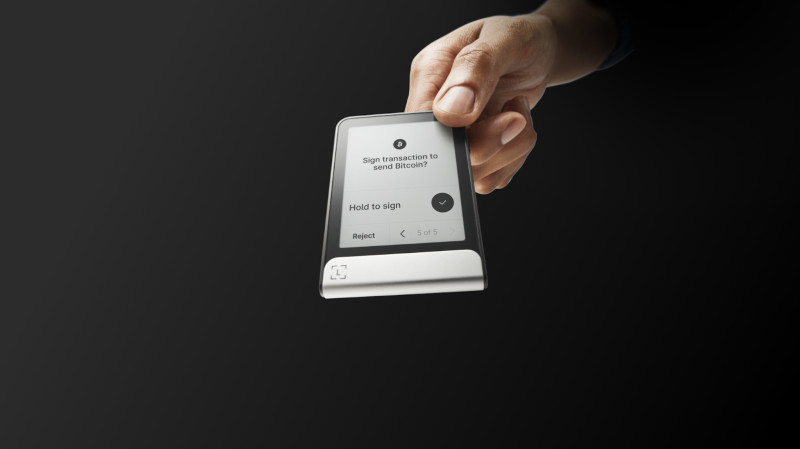
I've been looking at hardware wallets for a while now, and the Ledger crypto wallet lineup keeps coming up. The ecosystem includes several signer models - Stax, Flex, Nano Gen5, and the older Nano Classics like the Nano S and Blue. The companion app, Ledger Wallet, used to be called Ledger Live. It started as a portfolio tracker and grew into a full interface for buying, selling, staking, swapping, sending, and receiving across supported chains. The key thing to understand: the app manages accounts and builds transactions, but the hardware signer is what actually approves them. Your private keys never leave the device.
If you're researching how to get wallet for cryptocurrency options, this setup matters. The app handles the busy work - account sync, recovery across chains, a curated dApp library, NFT viewing, portfolio charts, price alerts, transaction history, push notifications. You can buy or sell over 15,000 cryptocurrencies through partners, swap tokens with optimized rates, do cross-chain swaps, set up recurring buys, stake on Ethereum and Cosmos, and access DeFi lending and borrowing. All transactions need clear signing on the hardware. There's also direct fiat funding - bank top-ups, direct crypto purchases, stablecoin conversion, spending and earning - which can be more cost-effective than routing through a centralized exchange, though availability depends on providers and region.
First-Time Setup and Recovery
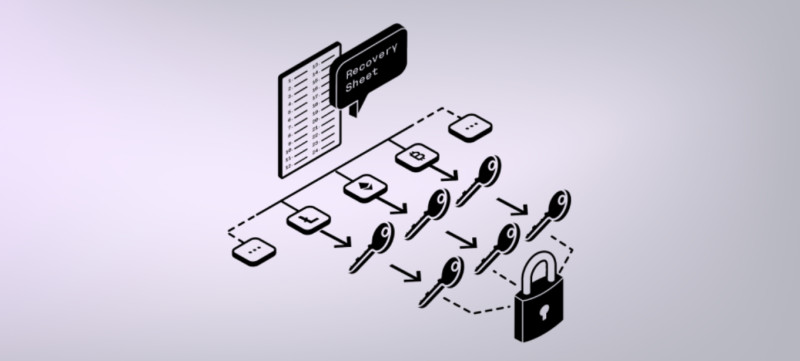
When you use a Ledger Nano for the first time, you either import an existing seed or generate a new one. Ledger Wallet calls this a mnemonic or secret recovery phrase. It's the master input - a 12-word or 24-word phrase representing a 128-bit or 256-bit master private key with a checksum, following BIP39. Every address and key in your wallet comes from that one phrase, organized as a hierarchical deterministic tree. One seed, many addresses. That's the point.
There are two update tracks to keep current. The Ledger Wallet app (desktop or mobile) needs updates for the latest interface and services. The signer firmware needs separate updates when available. The 2018 Nano S vulnerability - more on that later - was fixed through firmware, not just an app update. Ledger Sync can also back up your account data. Its encryption keys restore on a device initialized with the same secret recovery phrase. On a replacement device, you connect the signer to Ledger Wallet to access the synced data. It's not a cloud account tied to email and password, and it doesn't replace the recovery phrase.
Accounts, Addresses, and Derivation Paths
Creating separate accounts for different assets helps organize holdings and simplify tracking. Under the hood, different accounts use separate branches of the deterministic key tree. A crypto address maps to a script that defines spending conditions. Spending requires a transaction satisfying those conditions, signed by the Ledger signer.
The hierarchical deterministic wallet concept came from BIP32 around 2013. It defines an algorithm for creating a master key pair and deriving effectively unlimited child addresses. Each child is its own key pair that can derive the next generation. You can calculate a child from its parent, but not the parent from the child - that one-way property is cryptographic and lets you maintain a single seed while deriving many addresses. BIP39 turns the master key and checksum into the mnemonic word list. BIP44 structures the key tree with a five-level path: m / purpose' / coin_type' / account' / change / address_index. The apostrophe means hardened derivation. Purpose identifies address standards (44 for legacy Bitcoin, 49 for SegWit, 84 for native SegWit, 86 for Taproot). Coin type uses SLIP44 identifiers so each blockchain gets independent key trees - isolation between assets, no key reuse that could leak privacy. Account index numbers your accounts for a given coin. Change is 0 for receive, 1 for change addresses. Address index increments for UTXO-model assets.
UTXO Model vs Account Model
Ledger Wallet supports quite a few UTXO-model cryptocurrencies: Bitcoin, Bitcoin Cash, Bitcoin Gold, Dash, DigiByte, Dogecoin, Komodo, Litecoin, Peercoin, PIVX, Qtum, Vertcoin, ViaCoin, Zcash, Zencash, Decred. A UTXO is a discrete piece of crypto tied to an address. For privacy, a Bitcoin account gives a fresh receiving address for each incoming transaction - no previous history, so a blockchain explorer can't link everything to one address. Change addresses work similarly. Since a UTXO can't be split, your wallet selects UTXOs covering the payment plus fees, and any excess returns to a new change address. With a Taproot account (purpose 86), the first three receives use paths m/86'/0'/0'/0/0, m/86'/0'/0'/0/1, m/86'/0'/0'/0/2. Change comes back through m/86'/0'/0'/1/0, m/86'/0'/0'/1/1, and so on.
Most other supported chains - Ethereum, Solana, Cosmos, Polkadot, Tron - use an account model. One address per account. A blockchain explorer shows the full history from that address. You need to keep public addresses separate from private identity. Account-model assets don't use UTXO-style change addresses. The last two BIP44 fields are normally zero: m / purpose' / coin_type' / account' / 0 / 0.
UTXO-model coins supported
- Bitcoin
- Litecoin
- Dogecoin
- Bitcoin Cash
- Dash
- Zcash
Account-model coins supported
- Ethereum
- Solana
- Cosmos
- Polkadot
- Tron
LedgerJS and Extended Public Keys
LedgerJS is a set of JavaScript libraries giving high-level APIs to communicate with Ledger signers. Ledger Wallet and external apps use them so developers don't handle the low-level protocol. For an account-model asset like Ethereum, getting an address for path 44'/60'/0'/0/0 uses @ledgerhq/hw-app-eth and eip55 for checksum encoding. For a UTXO-model asset like Bitcoin, you retrieve an account-level extended public key (xpub) from a node in the BIP32 tree - say 84'/0'/0' for purpose, coin type, account. The xpub gives access to that node's public key and all its children's public keys and addresses. The xpubVersion parameter varies by asset and network: 0x0488b21e for Bitcoin mainnet, 0x043587cf for testnet, 0x02facafd for Dogecoin. Every account in Ledger Wallet has a unique xpub viewable on its Edit Account page.
Ledger asks users not to expose an account xpub because doing so can allow another party to track the account's past and future transactions.
Ledger Wallet generates all addresses in a UTXO-model account from its xpub. The derivation interface takes a mode (legacy, segwit, native segwit, taproot), the xpub, account number, and index. In path 84'/0'/1'/3/9, account=3 and index=9. Ledger provides LedgerJS and dev resources at developers.ledger.com so websites, mobile apps, and dApps can integrate Ledger signers.
The 2018 Nano S Vulnerability
Hardware wallets are designed to protect private keys from malicious software on your computer. A transaction initiates over USB without exposing the key. But in March 2018, Saleem Rashid - a 15-year-old UK researcher - found a vulnerability in the Nano S. The issue: a malicious reseller or attacker with physical access before the buyer initializes the device. At the time, Ledger had sold over a million Nano S units, often through third-party sellers like Amazon and eBay. Ledger's CTO had said the security model was robust enough for wide reseller purchase.
Rashid's attack targeted that supply-chain condition. A malicious reseller could flash code that stays inactive until the buyer uses the device, then extract private-key material and drain accounts. The Nano S had a secure processor chip and a non-secure microcontroller. The secure element protected sensitive ops; the microcontroller handled USB and display. They exchanged info, creating an attack boundary. Rashid found compromising the insecure microcontroller let malicious code run undetected. The device checked for code modification, but the proof of concept forced it to bypass those checks.
You're essentially trusting a non-secure chip not to change what's displayed on the screen or change what the buttons are saying. You can install whatever you want on that non-secure chip, because the code running on there can lie to you.
The attack also subverted key generation. The process relied on a random number generator the attacker could make produce non-random results. The victim generates keys and backup codes, but the attacker predicted them in advance by controlling the RNG. Ledger initially dismissed the findings, then fixed the flaw in firmware 1.4.1 (from 1.3.1), released March 6, 2018 - before the public report on March 20. The fix tightened secure element authentication of the microcontroller. The Nano S also lacked a tamper-protection seal. Ledger's CSO said seals are easy to counterfeit and would be a lie to customers. Despite the vulnerability, Ledger maintained third-party purchasing was acceptable due to cryptographic device checks. The article I read advised buying directly from Ledger and installing firmware updates before use - a different stance.
Private Account Syncing with Ledger Sync
Ledger Sync is an optional feature for synchronizing Ledger Wallet across desktop, mobile, and other devices. Introduced October 2024 under Ledger Live, updated March 2026 under Ledger Wallet. Before this, syncing between phone and computer required scanning a QR code - a privacy constraint of decentralized apps that avoid sharing user data with third parties or centralized services. Web2 apps sync playlists and feeds through central servers; a decentralized wallet has to exchange data without giving an intermediary control.
Ledger Sync uses the Ledger Key Ring Protocol. It lets separate Ledger Wallet instances exchange encrypted data through public channels without exposing info to Ledger or anyone else. The desktop and mobile apps refresh shared account state roughly every 10 seconds. It backs up account data without email and password. On a replacement device initialized with the same secret recovery phrase, you reconnect Ledger Wallet and access the synced data. It's a private alternative to conventional cloud-account recovery, meant to preserve account data if a phone or laptop is lost or damaged.
The encryption keys and the data they protect can be restored only through a device initialized with the same secret recovery phrase used to initiate Sync.
Ledger Sync isn't for managing multiple hardware wallets. It syncs app instances associated with the relevant signer setup. Multiple physical wallets or segregated holdings need separate account arrangements. With Sync enabled, balances and history stay synchronized. You see which transactions were signed and continue from where you stopped on another device - no manual exports, QR scans, or re-adding accounts. The Key Ring Protocol generates encryption keys from the signer's security. Only the hardware wallet owner can encrypt the data; not even Ledger can access the plaintext. The protocol is designed as a general method for multiple apps or instances to share info through a hardware signer as the central point for end-to-end encryption. Ledger Wallet is its first named service.
Ledger Sync capabilities
- Syncs account balances and history across devices every ~10 seconds
- Backs up account data without email/password cloud account
- Restores on replacement device with same recovery phrase
- Removes need for manual QR code synchronization
- Encryption keys derived from hardware signer security
Note: Ledger Sync is not supported on the Nano S. Ledger attributes this to the Nano S's technical capacity for advanced applications and recent cryptographic functions. Nano S users can still add accounts manually. Newer signers are presented as necessary for access to recent Ledger Wallet applications and cryptographic functionality, including Ledger Sync.
Swaps in Ledger Wallet 4.0
The rebuilt Swap Tab in Ledger Wallet 4.0 uses a marketplace model to preserve user choice while making quotes, routes, and risks easier to understand. Self-custody swaps operate anytime without a traditional intermediary deciding if you may exchange one asset for another. For many supported assets, the process can be fully trustless and decentralized. But complications exist: routes may need several approvals or involve a centralized provider, cross-chain swaps add network and asset complexity, slippage can reduce value received, and many routes and providers make choice harder.
The marketplace integrates centralized and decentralized providers - Uniswap, 1inch, OKX DEX, Near Intent, ThorChain, Velora, Exodus, Changelly, and others. Three reasons for multiple providers: competition improves quoted results, multiple routes provide resilience if one provider has a market event or liquidity shortage, and broad coverage allows more coin-to-coin and network-to-network routes since no single provider supports every asset on every chain. The decentralized option can expand as protocols like Near Intent and ThorSwap mature.
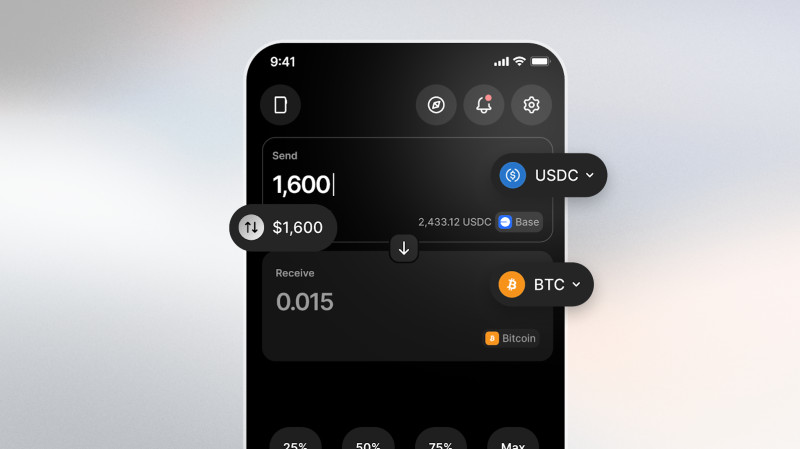
The Swap Tab surfaces trending assets and popular stablecoins up front - swapping into stablecoins is a common pattern. The amount field accepts dollars or euros alongside crypto units, since many users think in fiat terms rather than small decimals like 0.00042 ETH. Gas sponsoring removes the need to hold the network's gas token for certain swaps - for example, swapping USDC on Base without holding ETH on Base. This was available for selected pairs and providers with expansion planned, aiming to prevent valid swaps from being blocked by gas availability.
Swap is crypto's purest expression of autonomy. Any asset, any time, 24/7, no permission needed.
Ledger Wallet 4.0 includes warnings for swaps producing significant slippage or indicated loss of value - visible before you confirm, especially when moving fast or markets are shifting. The warning doesn't block you; it makes the info visible so you confirm with understanding. Planned improvements: real-time swap tracking through each stage, more gas-sponsoring pairs and providers, simplified token approvals and device interactions to reduce taps and friction while preserving the security boundary. A broader update was planned for July covering changes rolling out over following months. The interface includes a "Share your feedback" option. Ledger states they don't provide financial advice or recommendations; crypto transaction services are from third-party providers.
Hardware-Anchored Security for AI Agents
Ledger's April 2026 AI security roadmap describes a hardware-anchored security stack for autonomous agents - applying the hardware-root-of-trust model used for crypto to agents that can access credentials, identity, money, and real computer resources. The framing: AI agents as current and future co-workers, handling middle work while humans guide and verify at endpoints. Balaji Srinivasan: "AI is middle-to-middle but humans are end-to-end." Marc Andreessen's "Computer Security Apocalypse" is referenced. For agents to be useful, they may need access to email, calendars, logins, browsers, files, databases, CLI, credit cards, and crypto wallets.
Ledger groups main risks into a "lethal trifecta": prompt injection, autonomous execution, and access to real resources. An agent doesn't need to be the original attacker - a malicious webpage, poisoned document, or hijacked MCP response can redirect a legitimate task starting from reading a file or checking email toward destructive actions. The response: keep using AI while keeping people secure and involved at hardware-enforced approval points.
Ian C Rogers, Ledger's Chief Human Agency Officer, said he joined five years earlier as Chief Experience Officer, focused on improving crypto usability without choosing between ownership and security. Ledger introduced Stax, Flex, and Nano Gen5 signers alongside the Ledger Wallet app. The same infrastructure now extends to digital identity and AI-agent operations. Ledger began in 2014 around digital asset ownership - how a person owns a digital asset rather than holds an IOU or relies on a centralized record. The answer: hardware root of trust. The agent economy raises similar questions about actions and access. Who authorized an agent? How does an agent verify the command came from its owner? How does a person confirm they're communicating with the intended agent, not an impersonator? Ledger says ownership and control must remain grounded in hardware - a secure element can enforce a signing boundary when surrounding software is compromised, and a hardware approval stays a human approval point even when the agent's model or tools are under attack.
2026 AI security stack roadmap
- Q2: Agent Identity, Agent Skills and CLI
- Q3: Agent Intents and Agent Policies
- Q4: Proof of Human
- Device Management Kit already available
The Device Management Kit lets agents use Ledger hardware for human-in-the-loop approval. MoonPay built a production example integrating Ledger signing into an AI-agent wallet - the agent identifies opportunities and proposes trades, private keys stay in hardware, every transaction requires a physical button press. Agent Identity gives an agent a hardware-anchored identity and wallet instead of a spoofable software string, tied to Ledger hardware and registered on-chain for verifiable provenance. Agent Skills and CLI provide programmable access to Ledger's wallet stack - send, swap, earn, monitor - plus hardware-derived secret management through the Key Ring Protocol. These capabilities will be discoverable to AI coding tools through AGENTS.md and SKILL.md docs, distributed through NPM, with developer docs at developers.ledger.com.
Agent Intents form a human-in-the-loop approval layer: agent proposes, user reviews on trusted display, confirms with physical button, agent never sees the private key. Agent Policies are hardware-enforced boundaries for autonomous activity - rules like "Spend no more than $500/day" or "Only interact with these three smart contracts," enforced inside an HSM. If an agent attempts an action outside bounds, it routes back to human for approval. Proof of Human (Q4) verifies the human principal behind an agent interaction - progressive attestation to prevent multi-accounting and bot spam at hardware level. The roadmap addresses four developer questions: how to confirm the agent being contacted is the intended one, how the agent verifies the owner issued a command, how an agent operates autonomously while keeping the owner involved in consequential actions, and how to govern a fleet of agents. Ledger maps these to hardware components: Agent Identity for agent authenticity, Proof of Human for human participation, Agent Intents for human approval on consequential actions, Agent Policies for fleet governance and limits.
Ledger vs Tangem Device Comparison
The Ledger-versus-Tangem comparison I've seen frames around component longevity. Ledger devices rely on batteries, USB ports, and screens that degrade over time. Tangem cards are described as having no battery and no screen. The available description stops before a broader durability test or complete lifespan comparison. Tangem describes its business as providing hardware wallets and non-custodial software for managing digital assets. Tangem AG is not regulated as a financial services provider or crypto exchange. They don't hold, custody, or control user assets or transactions. Crypto transaction services come from third-party providers, and Tangem says it doesn't recommend using those services.
If you're weighing best crypto wallet hardware options, this distinction matters. Ledger's approach uses a secure element plus a general-purpose microcontroller - more components, more potential failure points over years. Tangem's card form factor eliminates the battery and screen entirely. Both are hardware wallet for cryptocurrency solutions, but the trade-offs differ. Some folks also compare against hardware wallets trezor in the same breath. The ledger nano x cold wallet (part of the Nano family) gets mentioned often in those discussions. Ultimately, a good cryptocurrency wallet depends on what you prioritize - screen for verification, battery-free longevity, Bluetooth, form factor.
For us, a tamper proof seal is nothing that adds security to the device because it's very easy to counterfeit. For us, it's a lie to our customers to use this kind of seal to prove the genuineness of our product.
That was Ledger's CSO on why the Nano S skipped a tamper seal - a stance that's sparked debate. Whether you lean toward cryptocurrency hard wallets with screens or card-style devices, the core principle holds: your seed phrase is the master key. Everything else - derivation paths, xpubs, swap marketplaces, sync protocols, agent identity layers - builds on that foundation. Keep the phrase offline. Verify on the device. Don't trust the screen of a compromised host.
Comments on “A Ledger Crypto Wallet Guide: Security, Swaps, and Ledger vs. Tangem”
No comments yet. Be the first to share your thoughts.