How to Set Up and Use a Blockchain Login App Even If You’re a Total Beginner
What a Blockchain Login App Is All About
You, probably, have heard about a blockchain login app and question how it can change the way you sign in online. This type of app uses decentralized ledger tech to manage your digital identity, and it does that without a central authority holding the keys. Identity and access management, or IAM, is the set of steps and rules for who gets to use an app or site. Old systems rely on central login servers – they can be breached and they make you hand over control of your info.
A blockchain login app flips that model. You keep ID data in a decentralized wallet on your phone or computer. The chain lets others check your credential fast without calling the issuer. I like that you get more say over your own data. The app can prove a fact without showing every detail. This post will walk through setup and safety so you can use one even if you are new.
Digital identity is all the info about you online: usernames, purchase history, ID numbers, search logs, and etc. Almost all of that sits in centralized or federated systems today. A blockchain login app offers a different path – it uses a shared database with no single boss. Every computer in the network has a copy, and that removes the single point of failure.
Why Old Login Systems Fail
Most of our online lives sit on centralized or federated identity systems. A centralized system is one authority that collects and stores your data. Federated means you use one login like Google or Facebook to sign into many sites. Both have flaws: they put a lot of user info in one spot, and that makes a juicy target for hackers. Personally identifiable info has been the most common breach type by a wide margin.
Main problems with old systems
- You must make a new account and password for every site. The average person has about 100 passwords.
- If a single sign-on password leaks, all linked sites are at risk.
- Central stores create one point of failure that can expose millions.
- Users rarely know if their data was shared without okay.
Another pain is the know your customer (KYC) steps. They are slow and cost a lot for banks and others. Manual checks waste time and money. A blockchain login app can cut that down with crypto proofs. Also, over 1 million children have been victims of ID theft, often for Social Security misuse. Government benefits fraud is a leading type of ID theft. And 87 percent of consumers have left personal info exposed online while checking email or bank accounts.
Around one billion people have no way to prove who they are. About 1.7 billion adults are unbanked. Without an ID you can't enroll in school, get a job, or get services. Old systems leave them out. A blockchain login app on a mobile phone can help close that gap.
How Blockchain Fixes Login
The fix is a blockchain login app built on decentralized ledger tech. It gives fast verification and lower cost. It keeps your data private and leaves no personal info on the chain itself. Records are tamper resistant and auditable, so you can prove a fact without showing the raw data. For example, you can show you are over 19 without revealing your birth date – this is called a zero knowledge proof.
Blockchain technology has the potential to revolutionize the way we manage and secure our digital identities. It could help to create a more secure and trustworthy online world where individuals have more control over their own data. - Don Tapscott
There are clear wins for both groups and people. Groups spend less on checks. People own their ID and share only what's needed. The system also helps folks with no formal ID get access through a mobile phone. Benefits include faster verification, reduced costs, enhanced privacy, auditable records, and legal compliance with rules like GDPR and CCPA.
One project named Dock built a chain just for identity. They wanted fast finality and low cost. Their chain stores DIDs and public keys, not raw credentials. Verifiable credentials sit in the user wallet, and this keeps privacy strong. A blockchain login app can use such a chain as a trust base.
Decentralized Identifiers and Verifiable Credentials
At the heart of a blockchain login app are decentralized identifiers (DIDs) and verifiable credentials (VCs). A DID is a unique string stored in your wallet – no provider can take it away. You can make many DIDs for different needs, like one for banking and one for gaming. VCs are digital proof of things like a driver license; they are signed by the issuer and kept on your phone.
Benefits of DIDs
- You own and control the identifier fully.
- You can prove cryptographic control without sharing personal data.
- DIDs do not contain wallet info or personal details.
- They allow private, secure connections that anyone can verify.
This setup means you log in with a DID instead of a pile of passwords – it is smoother and safer. The issuer's public key sits on chain so others can check your credential without contacting the issuer. Each DID can have many VCs; for example, a government license department can sign your driving credential and you hold it.
Someone can create as many DIDs as they want: DID one for a game site, DID two for online banking, DID three for ID cards, DID four for shopping. That limits tracking. A blockchain login app that uses DIDs puts you back in charge – no more single account that spies on you.
Setting Up a Simple Blockchain Login App
If you want to try a blockchain login app without the headache, look at zkLogin on the Sui network. It uses zero knowledge proofs so you can sign in with Google or Facebook and get a wallet made for you. No need to handle private keys yourself. Enoki is a tool by Mysten Labs that helps developers build this: it lets users generate a Sui wallet through social login while keys stay safe in a non custodial way.
To create a crypto wallet with this method, you start by picking a social provider. Then you get an Enoki API key from their portal. You register the auth provider info. After that, the app can call zkLogin and make a wallet for the user. This is a soft way into Web3. Sui is a high speed layer 1 chain built for scale; it processes many transactions per second at low cost.
Basic steps for zkLogin setup
- Choose a supported social login like Google OAuth and set it up.
- Sign up on Enoki portal and create a new app.
- Generate a new API key for that app.
- Register the auth provider details from Google in Enoki.
Enoki also has a gas pool so users can do transactions without paying fees directly. That lowers the barrier. I think this is a neat path for beginners because you skip the scary seed phrase. The API key from Enoki portal is the start for integration. Pricing has free tiers for small use.
With Enoki, a developer can use an API and SDK to add blockchain to an app. The user just sees a normal login button; behind the scenes a wallet is made. This is the kind of blockchain login app I would tell a friend to try first.
Seedless Login and Account Abstraction
Another way to build a blockchain login app is with seedless login. This is part of account abstraction, where smart contracts act as accounts. You do not manage a seed phrase or private key. Magic Link is a tool that does this in a React Native app with a Rails backend: you log in with email code or OAuth popup and get a DID token.
Perks of account abstraction
- Flexible security rules and batch transactions.
- Recover account without a seed phrase.
- Multi sign transactions and spending limits.
- Shared accounts and automated transactions.
Seedless login brings strong safety. It cuts loss of keys. It also makes the crypto wallet apps easier for new folks. The user experience is just like a normal app login, and that helps adoption. A blockchain login app with account abstraction can freeze accounts or set whitelists for safe contract use.
The Magic Link flow uses an email one time code or an OAuth provider like Google. The backend checks the DID token. If the token is valid, the user is in – no seed phrase to write down. I like that because lost paper is a real risk.
Hardware Wallets Keep Keys Safe
Even with a smooth blockchain login app, you may hold crypto. A hardware wallet, or cold wallet, is a physical device that stores private keys offline. This protects against hacks. SecuX is one brand with a secure chip – it wipes data if tampered. You get a PIN and recovery words.
When you first define wallets for cold storage, know that the keys never leave the device. If you lose it, you can regenerate with 24 words. Some folks prefer a secure hot wallet for daily use, but a crypto hot wallet stays online and bears more risk. A peer crypto wallet can be either type. I suggest a hardware device for big holdings.
SecuX safety features
- PIN lock with only 5 tries before factory reset.
- Self destruct chip if intrusion detected.
- Hidden wallet with 25th word passphrase.
- Compatible with BIP32, 39, 44 recovery standards.
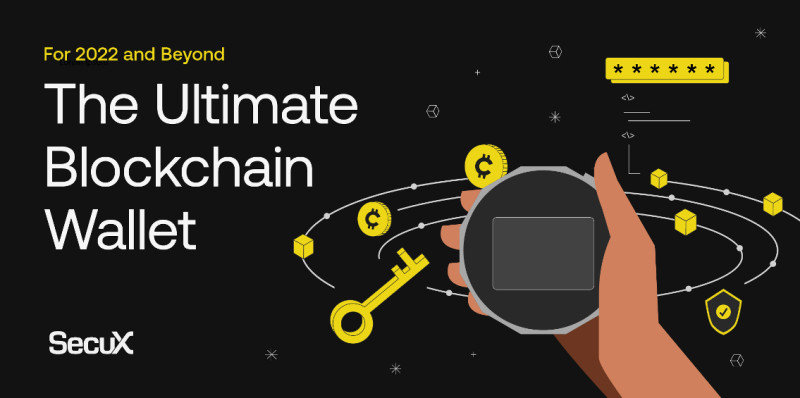
You can store over a thousand coins on such a device. Bluetooth pairing needs PIN, app password, and OTP – that is three layers, good peace of mind. The firmware does not query for keys; the chip monitors for tamper and deletes data if forced. This is the kind of self custody a blockchain login app user should learn about.
Transferring crypto to a SecuX wallet is simple. You generate a receive address, show it as QR, and send from the exchange. Check the balance on the device screen. Never type your recovery phrase into a computer – that keeps you safe from scams.
Real Wallet Login Pitfalls
I read about a user who found old credentials for a blockchain.com wallet. They tried the mobile app but hit a second password warning. The site said to disable it on web. Then they got error codes and double encryption messages. They finally used an old login page to get in. This shows that even a blockchain login app can have rough edges.
WALLET INITIALIZATION FAILED DUE TO BEING DOUBLE ENCRYPTED
After access, they sent a test amount and the wallet value dropped weirdly. Support explained a gap limit: only first 20 addresses scanned. They sent a tiny dust amount to fix it. Lesson: keep recovery phrase safe and use a hardware wallet for self custody. The user moved everything to a Ledger after that.
This story is a good warning. A blockchain login app or wallet may change its rules. Beta redirects can trap you. If you see a second password deprecation, follow the exact steps. And always have your recovery phrase written offline. Don't trust a single screen message.
Common Safety Tips
Hey, don't skip this part. Staying safe with a blockchain login app means a few clear habits. Never share your recovery phrase – no real support will ask for it. Use decentralized storage and hardware wallets where you can. Prefer DIDs and seedless login to cut central risks.
Top pitfalls to avoid
- Data breaches from central login stores.
- Loss of private keys without recovery plan.
- Beta redirects and deprecated second passwords.
- Address gap limits when moving funds.
SecuX will never ask for your 24-word recovery phrase.
Also, always verify official apps before install. If you use a coinbase a wallet or a best wallet to use for cryptocurrency , check the source. A crypto wallet development company should publish clear docs. I always read reviews from normal users before downloading.
Another tip: keep a hidden wallet for large sums. Use the 25th word passphrase if your device allows. That way if someone forces your PIN, they only see the small balance. A blockchain login app that supports DIDs also lets you revoke access fast.
Enterprise Backends for Login Apps
Behind some blockchain login app setups are enterprise tools. Hyperledger Fabric is a popular framework for permissioned chains. IBM Blockchain Platform and Kaleido give managed services. These help orgs build login and identity systems without coding from zero. Alibaba Cloud BaaS is another – they use channels and smart contracts to manage access.
For a no code route, Joget plus IBM Blockchain Platform lets you make an app that reads and writes ledger records. This shows the tech is not just for experts. But as a regular user, you mostly touch the front app. The backend just makes sure the login is real and the records are straight. Consensus mechanisms keep all parties in agreement.
Permissioned chains restrict who can join – that fits banks and hospitals. Permissionless chains are public, like those for crypto. A blockchain login app can use either depending on the need. The key is that no single server holds all the power.
Why PII Never Goes on Chain
One rule in this space is strict: never put personal info on the blockchain. The ledger cannot be deleted or changed. If you put names or IDs there, you break privacy laws like GDPR. A good blockchain login app stores only DIDs and credential templates on chain. Your real credentials sit in your wallet.
This keeps you safe. The issuer's key is on chain so proofs work, but the raw data stays with you. That is the whole point of self custody. Dock's chain keeps a registry of DIDs and revocation lists, not the credentials themselves. Verifiable credentials live outside the chain, usually in a holder's wallet app. That design respects the right to be forgotten.
If a credential is revoked, the chain updates a registry. The actual data does not need to be erased from the chain because it was never there. This is a smart split. I wish more old systems worked this way.
Key Parts of a Blockchain Network
Before you set up a blockchain login app, it helps to know a few plain terms. A digital ledger is just a shared record book. Every computer in the network holds a copy. To add a transaction, most of the group must agree – that is consensus. It means no single person can cheat the book.
Simple terms to learn
- Peer nodes: computers that host copies of the ledger.
- Members: organizations that join the network.
- Certificate authority: issues IDs to users.
- Smart contracts: code that runs when conditions meet.
Channels keep data private between some members. Ordering service lines up transactions into blocks. This might sound geeky, but a blockchain login app hides it from you. You just tap login and the chain does the check. I find that neat.
What Zero Knowledge Proofs Do
A zero knowledge proof lets you show a fact without telling the secret. In a blockchain login app, zkLogin uses this to sign you in with Google but never exposes your private key. You prove you own the account; the chain verifies the math. No extra data leaks – this is a big win for privacy.
Sui's zkLogin makes a wallet for you automatically. You don't install a separate app – the proof handles the rest. I think this is the friendliest path for new users who just want to try a blockchain login app without reading a manual.
Future of Login Apps
The market for blockchain identity and access control keeps growing. Many groups plan to invest in these systems. Use cases spread across health, finance, education, and government. A blockchain login app can give a secure global ID on a mobile phone – that helps the billion plus people with no formal ID.
I believe this tech will become normal. The setup is getting easier with zkLogin and seedless methods. You don't need a tech degree to start. Just pick a trusted app and guard your keys. Reports predict the blockchain identity market will reach tens of billions with a high annual growth rate. North America leads now but other regions are catching up.
Whether you use a decentralized identifier or a social login that makes a wallet, the goal is the same. You control your data and sign in without fear. That is a future I want to see.
Comments on “How to Set Up and Use a Blockchain Login App Even If You’re a Total Beginner”
No comments yet. Be the first to share your thoughts.